Well? What’s the status after another year?
Well this is my script. It is basically a wmi query wrapped in powershell, wrapped in python. The code was something I found from here: powershell - Get CPU temperature in CMD/POWER Shell - Stack Overflow
The powershell script is encoded in base64 since it is digitally signed but python would mess up the signature if it would be there in plain text. However you can use the following website if you want to decode the script and check it out yourself: Base64 Decode and Encode - Online
The script needs to be run with an administrative account since it queries wmi.
The output of the script is as follows:
| 58,05 C : 136,49 F : 331.2K |
Get-Temperature.py.txt (12.9 KB)
@techiron I find the output in the execution log. Did not try emailing them yet:
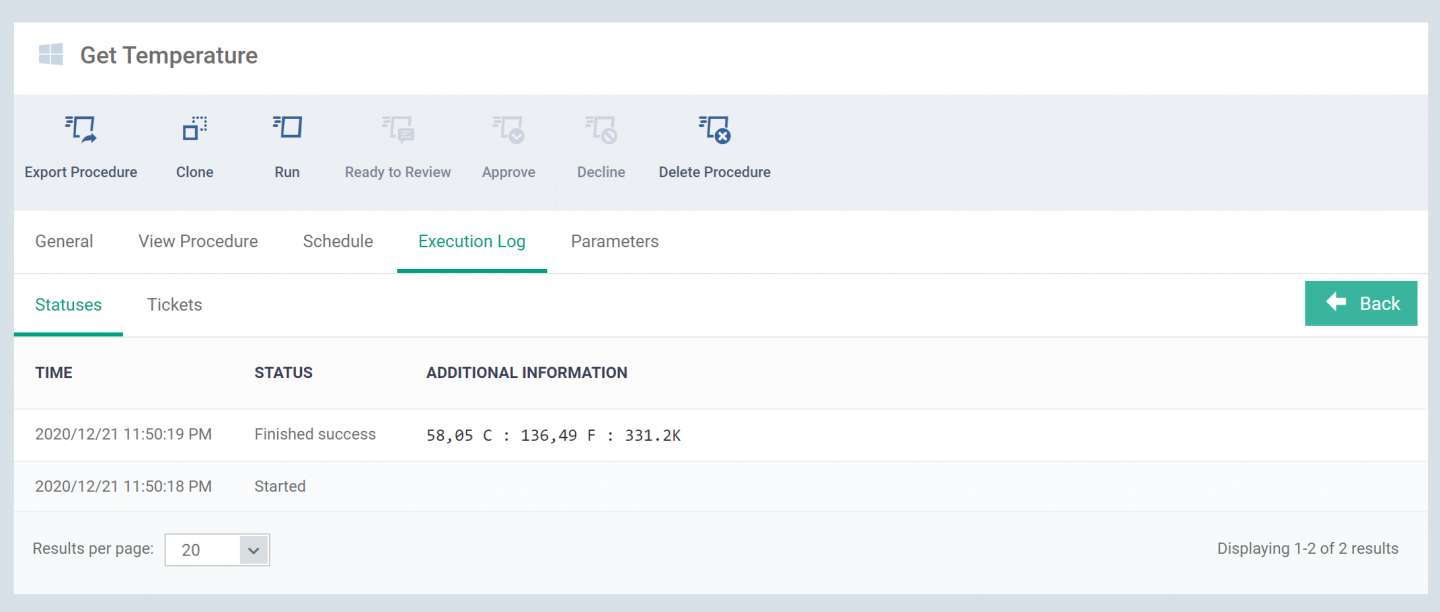
All I get is a 0 in the additional information section.
Try to run
wmic /namespace:\\root\wmi PATH MSAcpi_ThermalZoneTemperature get CurrentTemperature
on the system and see if it returns anything. Not all BIOS implementations allow reading their temperature from the Host OS. One of my clients also reports nothing if I run the script on it.
Sorry. I’m not a coder. How exactly do I run this on a computer? Exact instructions, please. 
Just enter it in the command line (So the cmd)
If anyone on this thread is still in need of this ability, here is a script that may be useful
https://forum.itarian.com/forum/script-library/60101-custom-script-monitor-cpu-hardware-temperature-monitor